Building your own compound objects
Sooner or later you want an object the library does not have: a balance, a dial, a box that opens. Something made of several pieces that behaves as one thing and that does something. Of course you can script all those things, but it is always a better approach to write a self-contained code that does everything internally, specially if you plan to reuse it in other animations.
This chapter builds one from scratch, step by step: Schrödinger's box, four walls and two lids that swing open, with a label inside that reads ? until you open it and then reveals the cat's fate. Every step is a single new parameter of the compound(...) block, and by the end everything is contained in that one call: no class, no helper functions, no bookkeeping variables floating around the script.
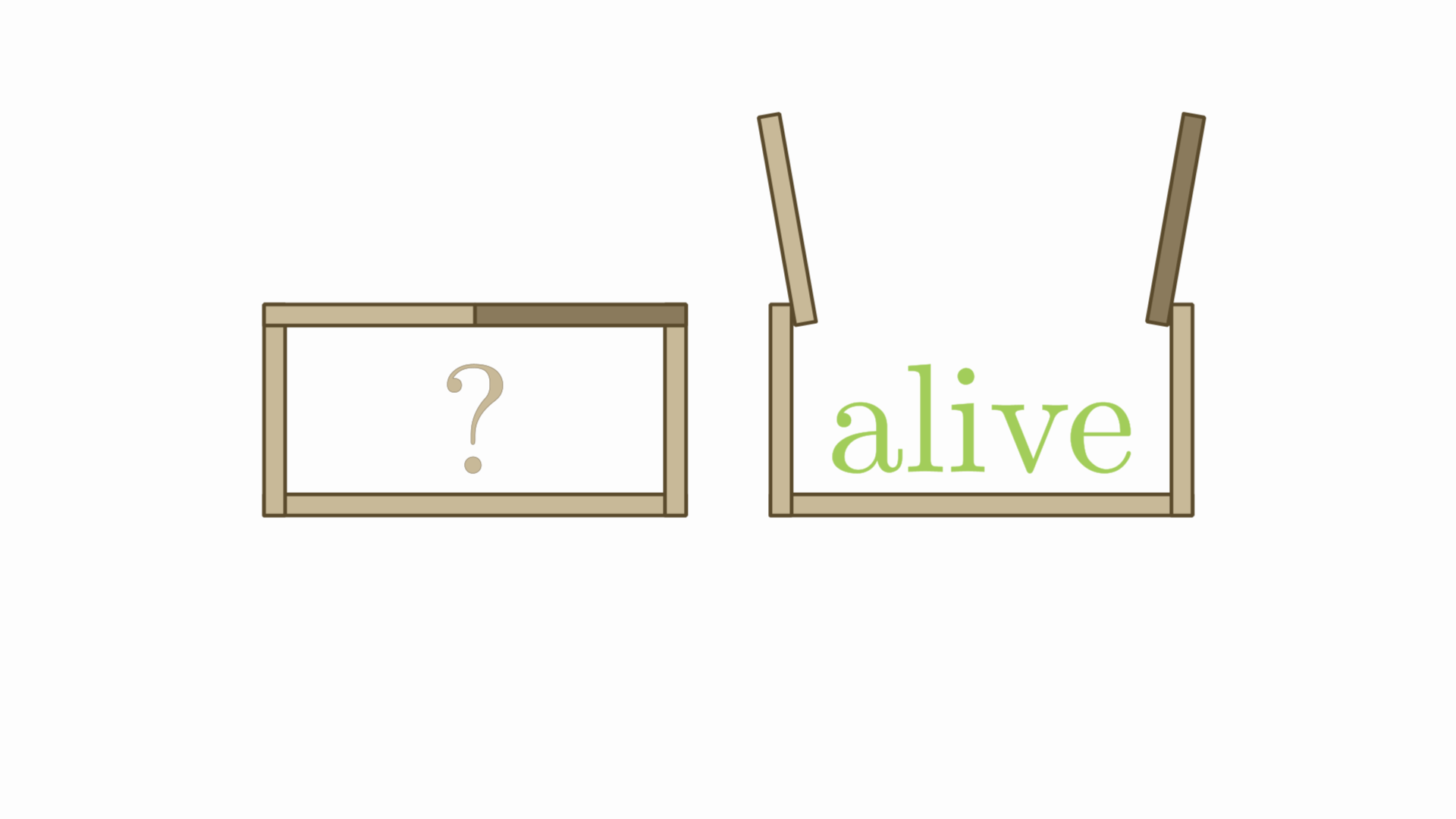
Table of Contents
- What we are building
- Step 1: the pieces
- Step 2: placing a piece against another
- Step 3: the state
- Step 4: pose
- Step 5: driving the state
- Step 6: something that happens only once
- The whole thing
- A second example: an articulated arm
- When you need methods of your own
- Things that bite
What we are building
A box drawn with five rectangles (bottom, two side walls and two lids that meet in the middle) plus a LaTeX label sitting on the bottom. Opening the box means turning each lid on the hinge where it meets its wall.
The important design decision is made before writing any code: the box does not have an "open" method that rotates the lids. It has a value called aperture, 0 when closed and 1 when open, and the lids are computed from it. That single change is what makes the opening animatable, interruptible, reversible and copyable, all for free.
Step 1: the pieces
A compound is a scene object made of pieces. Writing them as a Map gives each one a name:
box = compound(
    obj: [bottom  : shape(type: "rectangle", rect: [-1, -.5, 1, -.4]),
          wallLeft : shape(type: "rectangle", rect: [-1, -.5, -.9, .5]),
          wallRight: shape(type: "rectangle", rect: [.9, -.5, 1, .5]),
          lidLeft : shape(type: "rectangle", rect: [-1, .4, 0, .5]),
          lidRight: shape(type: "rectangle", rect: [0, .4, 1, .5])])
Those names are how you reach the pieces afterwards, with box["lidLeft"], and how you style them one by one:
    style: [drawColor: "#5a4a2c", fillColor: "#c8b998", fillAlpha: 1, thickness: 2],
    parts: ["lid*": [fillColor: "#8a7a5c"]]
style: is the common base every piece starts from and parts: is what each one corrects, by name or by a glob like "lid*". The order matters and the block already takes care of it: parts: is applied after style:, so your corrections are never overwritten.
The writing order of obj: is also the drawing order, so a piece written later is drawn over the ones before it.
If the pieces already exist gathered in a group, there is no need to write them again: compound(from: myGroup) takes its members as the pieces, with the names they carry there, and myGroup as CompoundMathObject is the same thing without a block. They are the very same objects, so take them out of the scene first if you had added them on their own.
Step 2: placing a piece against another
Now the label. It should sit on top of the bottom wall, and here is the first thing that does not work:
    obj: [bottom   : shape(type: "rectangle", rect: [-1, -.5, 1, -.4]),
          catStatus: latex(text: "?", transform: [scale: 4],
                           stack: [to: bottom])]      // error: 'bottom' does not exist
The values of the Map are evaluated before the compound exists, so one piece cannot refer there to another. That is what init: is for: a closure run once on the finished object, when all the pieces are already in place under their names.
init: { b -> b["catStatus"].stack(to: b["bottom"],destinyanchor: "upper",gaps: .1) }
init: runs last, after the layout, the transforms, the style and the parts, so nothing the block does afterwards can undo it.
There is a simpler way out when you only need one reference: build the piece into a variable first and use it in the Map.
init:earns its place when there are several relative placements, when they depend on the compound as a whole, or when you want the whole definition to be a single self-contained expression.
Step 3: the state
Now the interesting part. Declare the values the geometry depends on:
state: [aperture: 0] // 0 closed, 1 open
Each one becomes a Scalar, and that is not a detail: a Scalar is a versioned object registered as a dependency of the compound. Writing into it marks the box as needing an update, the dependency graph updates the two in the right order, and any animation that drives a numeric value can drive it. A plain double field would be invisible to all of that.
You can also write state: ["aperture"], a list of names all starting at 0.
A value can be a Scalar you already have instead of a number:
t = scalar(0)
box = compound(obj: [...], state: [aperture: t], pose: { ... })
animScalar(obj: t, from: 0, to: 1, runtime: 2)      // the box opens
The box registers that Scalar rather than making one of its own, so whatever drives it drives the box: a slider, an animScalar, an updater, or another compound sharing the same value. Copying the box still gives the copy a Scalar of its own, so a copy is never silently wired to your slider.
And a value can take one of a few named states instead of a range of numbers, written as the list of its states with the initial one first:
state: [fate: ["undecided", "dead", "alive"]]
Underneath it is still a value holding an index, so it is versioned, copied and restored like any other, but you read and write it with the word. Step 6 is what it is for.
Step 4: pose
pose: is the one place where the state becomes geometry:
    pose: { b ->
        def angle = 100 * DEGREES * b.state("aperture")
        b["lidLeft"].rotate(b["wallLeft"].upperRight, angle)
        b["lidRight"].rotate(b["wallRight"].upperLeft, -angle)
    }
Read it as "this is what the box looks like at this value". Before the closure runs, the pieces are put back to the position they were built in (lids closed) so the angle you write is the angle the lid ends up at. There is nothing to undo and nothing to accumulate.
Note b["wallLeft"].upperRight: the hinge is read from the geometry as it is now, so shifting or scaling the whole box moves the hinges with it.
pose runs once at the first update and then only when a value has actually changed. A box nobody touched costs nothing per frame, and the scene stays idle.
The other way: rebuild
rebuild: is the same closure written in differences instead of absolutes:
    rebuild: { b ->
        def angle = 100 * DEGREES * b.delta("aperture")     // note delta, not state
        b["lidLeft"].rotate(b["wallLeft"].upperRight, angle)
        ...
    }
The pieces are left wherever the previous run put them, so the closure moves them by the difference. Three readings of a value are available inside it:
| Call | Meaning |
|---|---|
b.state("aperture") |
The current value |
b.previousState("aperture") |
The value the geometry on screen was built from |
b.delta("aperture") |
The difference between the two |
The two are mutually exclusive: write one or the other, and the choice is a trade.
pose restores every piece on each frame where a value changed, which means copying the path of each one: for a handful of rectangles that is nothing, for pieces with hundreds of points it is real work on every frame of the animation. What you get for it is that nothing can drift.
rebuild costs only what the closure does, and nothing at all on the frames where no value moved. What it costs you is a rule that is easy to break: the closure has to be an exact inverse of itself.
Start with pose, and move to rebuild if the compound is big enough for the restore to show.
Whichever you write, the result must depend only on the state. Given the same state values, the closure must land on the same geometry.
Step 5: driving the state
Three ways in, and none of them touches the lids directly:
animState(obj: box, to: [aperture: 1], runtime: 1.5)   // animate it
apply(obj: box, state: [aperture: 1])                  // set it, no animation
box.state("aperture")                                  // read it
animState accepts several values at once (to: [leftWeight: 3, rightWeight: 1]), a list of objects in obj:, and a plain number as a shorthand when the object declares exactly one value. It takes the usual runtime, lambda, run and delay.
Because the geometry is derived, all of this behaves the way you would hope. Closing the box halfway through an opening continues from where it is instead of jumping. Animating with lambda: "backAndForth" opens and closes it, and the lids end exactly where they started.
A face of its own. animState(obj: box, to: [aperture: 1]) says how the box is built; box.open(1.5) says what it does. The methods: parameter installs the second on top of the first, and the object then travels with its own vocabulary:
    methods: [open  : { rt -> animState(obj: delegate, to: [aperture: 1], runtime: rt) },
              close : { rt -> animState(obj: delegate, to: [aperture: 0], runtime: rt) },
              isOpen: { -> delegate.state("aperture") > .5 }]
box.open(1.5)
if (box.isOpen()) ...
Note what these methods do not do: they never touch the lids!. An open that rotated them itself would be a second owner of the same geometry, and the first change of any value afterwards would put them back where the state says they go. The method animates the value; the value places the pieces. That is the whole design in one line, and it is why an interrupted open leaves the box in a position the state describes instead of a position nobody does.
A copy carries them: box.copy().open(1.5) works, because the declarations travel with the object, and that is what makes them worth declaring on a prototype you are about to copy twenty times.
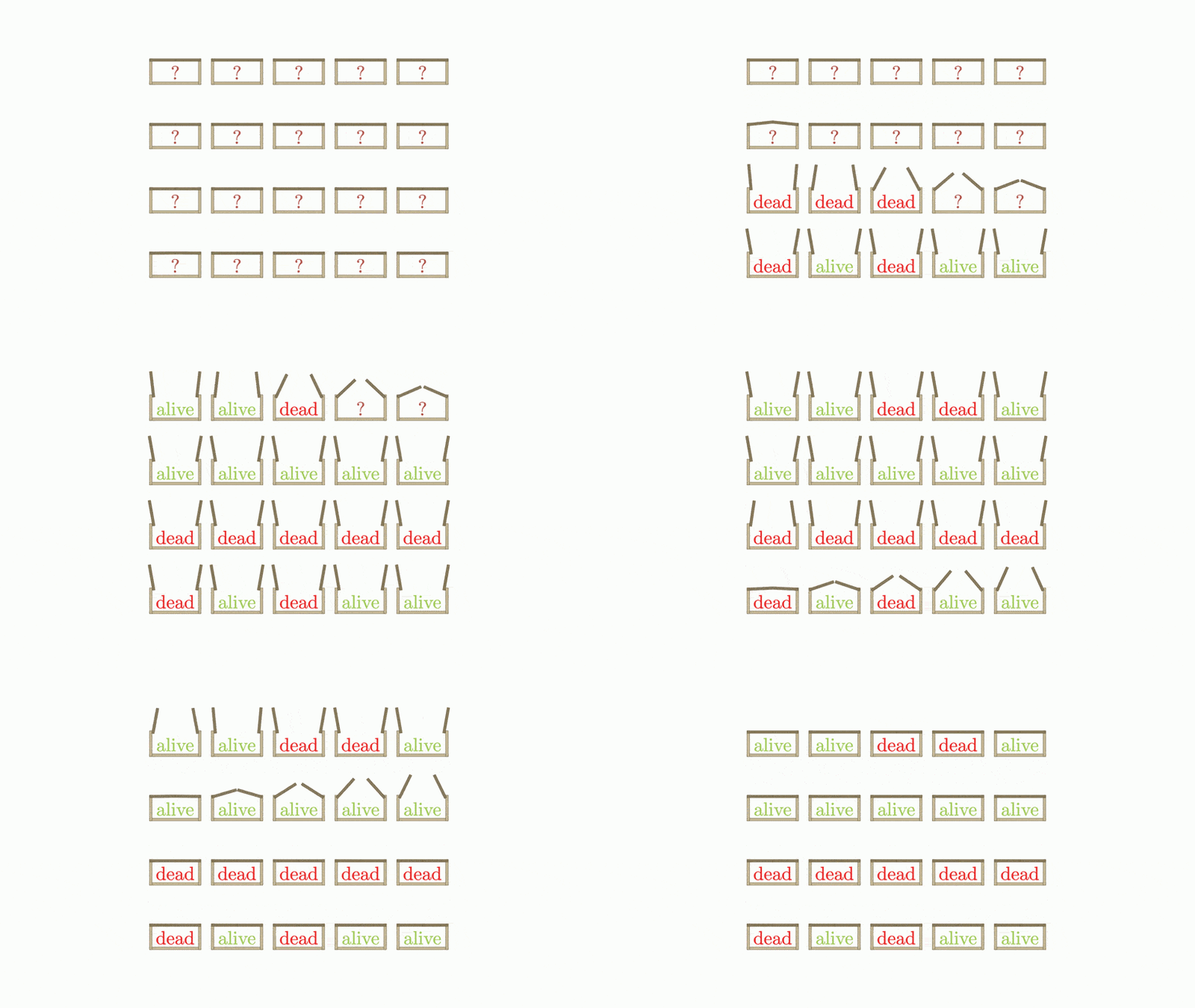
These methods play the animation, which is what you want when driving one box from a script. To compose instead (twenty boxes into a single group with a delay, as below) go back to the builder and ask it not to play: animState(obj: box, to: [aperture: 1], runtime: 5, run: false).
Careful with the two namespaces:
box["lidLeft"]is a piece andbox.state("aperture")is a value. Asking for a value with the subscript fails, although the error message tells you so and points at the right call.
Step 6: something that happens only once
The cat's fate has to be decided when the box opens, at random, once. That asks for a second value, and the state is where it goes:
    state: [aperture: 0,                              // continuous: 0 closed, 1 open
            fate: ["undecided", "dead", "alive"]]     // named states
Not every value has to drive a movement. aperture is the continuous one the animation runs over; fate is a discrete one that says what the box knows, and writing it as the list of its states means you never have to remember that dead was the 1.
A discrete value is also where pose shows its worth: whatever it decides is applied outright, while an incremental rebuild would have to undo the previous branch before applying the new one.
This block goes at the end of the pose: closure of step 4, after the two lids have been turned:
def catStatus = b["catStatus"]

//Decide: only while undecided, and only once the box is half open
if (b.state("aperture") > .5 && b.stateName("fate") == "undecided")
    b.state("fate", Math.random() < .5 ? "dead" : "alive")

//Derive: previousStateName says whether it just changed, so this runs on one frame only
if (b.stateName("fate") != b.previousStateName("fate")) {
    catStatus.setLaTeX(b.stateName("fate"))
    catStatus.style(color: b.stateName("fate") == "dead" ? 'firebrick2' : 'darkolivegreen3')
}
Decide once, then derive. The closure has to be a pure function of the state, and a random draw is not. What makes this correct is that the draw is resolved once and written into the state: from the second run on, the text is a plain consequence of a value like any other. Any "one shot" event follows the same recipe.
previousStateName("fate") is the state at the previous run, so the comparison is "did this change since last time". That is what keeps setLaTeX, which recompiles a formula, to the single frame where it is needed. The previous value is not only for the incremental style: in pose you do not need it to place anything, but it is exactly the tool for reacting to a change.
A value with named states is set and never animated: animState refuses it and says why, because there is nothing between "dead" and "alive" to interpolate through. Use apply(obj: box, state: [fate: "alive"]). That guard is the other half of what declaring the names buys you.
Writing a value from inside the closure is safe: the snapshot of the state is taken right after the closure runs, so fate does not look changed on the next frame and the box goes straight back to being idle.
"But pose puts the pieces back before every run: doesn't that undo the revealed text?" It would, and this is the one case where it matters. Putting a piece back means writing the photograph taken of it over the piece, and the photograph of catStatus reads ?. What saves it is that the photograph is only used while the piece is still made of the same parts: rewriting the formula leaves it with a different number of glyphs, so the snapshot is recognised as stale, taken again, and the revealed text becomes the position the state is measured from. In short: pose puts a piece back where it was, it does not put back what it was.
And it copies. StatefulCompound copies and restores the state, so a copy of an opened box knows how its cat turned out, and closing and reopening it does not draw again. The same thing written as a flag in the metadata of the label would not survive the copy, which is the other reason to prefer a value.
The whole thing
def createCatBox() {
    compound(
          obj: [bottom: shape(type: "rectangle", rect: [-1, -.5, 1, -.4]),
              wallLeft: shape(type: "rectangle", rect: [-1, -.5, -.9, .5]),
              wallRight: shape(type: "rectangle", rect: [.9, -.5, 1, .5]),
              lidLeft: shape(type: "rectangle", rect: [-1, .4, 0, .5]),
              lidRight: shape(type: "rectangle", rect: [0, .4, 1, .5]),
              catStatus: latex(text: "?", transform: [scale: 4])],

          init: { b -> b["catStatus"].stack(to: b["bottom"], destinyanchor: "upper", gaps: .1) },

          state: [aperture: 0,                            //0 closed, 1 open
                  fate: ["undecided", "dead", "alive"]],

          pose: { b ->
              def angle = 100 * DEGREES * b.state("aperture")
              b["lidLeft"].rotate(b["wallLeft"].upperRight, angle)
              b["lidRight"].rotate(b["wallRight"].upperLeft, -angle)

              def catStatus = b["catStatus"]//The LaTeX object with the status text

              //Decide: flip a coin once, when the box is half open, and store it
              if (b.state("aperture") > .5 && b.stateName("fate") == "undecided")
                  b.state("fate", Math.random() < .5 ? "dead" : "alive")

              //Derive: only on the frame the value changed, since setLaTeX recompiles
              if (b.stateName("fate") != b.previousStateName("fate")) {
                  catStatus.setLaTeX(b.stateName("fate"))
                  catStatus.style(color: b.stateName("fate") == "dead" ? 'firebrick2' : 'darkolivegreen3')
              }
          },

          //What the box does, in its own words
          methods: [open  : { rt -> animState(obj: delegate, to: [aperture: 1], runtime: rt) },
                    close : { rt -> animState(obj: delegate, to: [aperture: 0], runtime: rt) },
                    isOpen: { -> delegate.state("aperture") > .5 }],

          //Global style to everything:
          style: [drawColor: "#5a4a2c", fillColor: "#c8b998", fillAlpha: 1, thickness: 2],

          //Finetune style of lidLeft and lidRight (and lid<whatever>...)
          parts: ["lid*": [fillColor: "#8a7a5c"],
              catStatus: [drawColor: "#b5544a", fillColor: "#b5544a"]]
    )

}

//Let's create 20 boxes for fun
def boxes = group(
      copies: createCatBox(),
      number: 20,
      layout: [type: "box", size: 5, gaps: [.4, 1.5]]
)
scene.add(boxes)

camera.adjustToAllObjects()
camera.scale(1.5)

//One animation per box. Not open(5): these are to be composed, not played one by one
def anims = boxes.collect {
    animState(
          obj: it,
          to: [aperture: 1],
          run: false,
          runtime: 5)
}
def anim = animGroup( //Play them as group, with delay
      anims: anims,
      delay: .75,
      run: false
)
play.run(anim)
play.run(anim.setLambda(UsefulLambdas.reverse()))
scene.waitSeconds(1)
Everything the box is and does lives in that one call. There is no helper function, no flag variable in the script, and nothing to remember to call in the right order.
A second example: an articulated arm
The box has one value. Two is where the design earns its keep, because two joints do not add up: bending the elbow moves the forearm, and turning the shoulder moves the forearm and the elbow. Written as movements that is a mess of bookkeeping. Written as a pose it is three lines.
Two pieces, each a 5x1 rectangle, laid end to end along the x axis: the upper arm from the shoulder at (0, 0) to the elbow at (5, 0), and the forearm from there to the hand at (10, 0). That is the arm stretched out, and that is the position the two angles are measured from.
def arm = compound(
    obj: [upperArm: shape(type: "rectangle", rect: [0, -.5, 5, .5]),
          forearm: shape(type: "rectangle", rect: [5, -.5, 10, .5])],

    state: [shoulder: 0,     // angle of the whole arm, from the stretched-out position
            elbow: 0],       // angle of the forearm relative to the upper arm

    pose: { a ->
        //Both joints read before anything turns, which is where the pieces are: at rest
        def shoulderJoint = a["upperArm"].boundingBox.left
        def elbowJoint    = a["upperArm"].boundingBox.right

        //The elbow bends the forearm alone...
        a["forearm"].rotate(elbowJoint, a.state("elbow"))
        //...and the shoulder then turns the two of them as one thing
        a["upperArm"].rotate(shoulderJoint, a.state("shoulder"))
        a["forearm"].rotate(shoulderJoint, a.state("shoulder"))
    },

    style: [drawColor: "#3d3d3d", fillColor: "#c8b998", fillAlpha: 1, thickness: 3],
    parts: [forearm: [fillColor: "#8a7a5c"]],
    addToScene: true)
Read the closure as a drawing rather than as a sequence of movements. It says where the arm is for a given pair of angles, and it says it in the order a hierarchy is built: the child joint first, then the parent joint carrying everything below it. Nothing has to be undone, because every run starts from the arm stretched out.
Note where the two joints come from. They are read off upper while it is still at rest, so they are always (0, 0) and (5, 0) relative to wherever the arm currently is: shift, rotate or scale the whole compound and the joints follow, because the rest position follows the object. Hard-coding Vec.to(0, 0) would work exactly until the first time you moved the arm.
Moving both angles at once
animState takes as many values as you like in one call, and animates them together over the same runtime:
//Reach up and bend: the two joints move at the same time, in one animation
animState(obj: arm, to: [shoulder: 60 * DEGREES, elbow: -100 * DEGREES], runtime: 1.5)

//Straighten out again, slowing into the end
animState(obj: arm, to: [shoulder: 0, elbow: 0], runtime: 1.5, lambda: "smooth")
That is not the same as one after another. Written in a single call the two angles run over the same interval, so the hand travels the curve the two joints make together; written in sequence the arm lifts first and folds afterwards, and the hand traces two arcs. Compare:
//One movement: the hand sweeps
animState(obj: arm, to: [shoulder: 60 * DEGREES, elbow: -100 * DEGREES], runtime: 2)

//Two movements: the arm lifts, then the elbow folds
sequence {
    animState(obj: arm, to: [shoulder: 60 * DEGREES], runtime: 1)
    animState(obj: arm, to: [elbow: -100 * DEGREES], runtime: 1)
}
from: sets where the animation starts, instead of taking each value as it is:
//A wave: the elbow goes back and forth while the shoulder holds still
animState(obj: arm,
          from: [elbow: -40 * DEGREES],
          to:   [elbow: -120 * DEGREES],
          runtime: .6, lambda: "backAndForth")
And the arm is still one object, so it moves as one:
apply(obj: arm, state: [shoulder: 30 * DEGREES, elbow: -60 * DEGREES])  //set, no animation
animShift(obj: arm, vector: [0, -2], runtime: 1)                        //the joints go with it
What two values buy you
Every property the box had, now over a pair. Interrupting the reach halfway and sending the arm somewhere else continues from where it is. lambda: "backAndForth" returns both angles exactly to where they started. A copy of the arm is a second arm with its own two angles. And nothing of that needed a single line of bookkeeping: the two numbers are the arm, and the closure is the drawing.
When you need methods of your own
methods: already gave the block its own vocabulary, so this is not about openBox(1.5) any more. A class earns you what a map of closures cannot: fields of your own with a type, a name that other scripts can import, and code that an IDE will complete and refactor. The base to extend is StatefulCompound, the same machinery the block uses underneath. The code below avoids every DSL block, to show what the block was doing for you.
//The pieces are not all Shapes (catStatus is a LatexMathObject), so the second type
//parameter has to be MathObject<?>, the same one the block version uses underneath
class CatBox extends StatefulCompound<CatBox, MathObject< ? >> {

    protected CatBox() {
        //In the constructor, so that every copy is born with them
        declareState("aperture", 0) // 0 closed, 1 open
        declareState("fate", ["undecided", "dead", "alive"])
        setAbsoluteRebuild(true)    // rebuild() is the pose: version, off the rest position
    }

    static CatBox make() {
        CatBox box = new CatBox()

        box.addWithKey("bottom", Shape.rectangle(Rect.make(-1, -.5, 1, -.4)))
        box.addWithKey("wallLeft", Shape.rectangle(Rect.make(-1, -.5, -.9, .5)))
        box.addWithKey("wallRight", Shape.rectangle(Rect.make(.9, -.5, 1, .5)))
        box.addWithKey("lidLeft", Shape.rectangle(Rect.make(-1, .4, 0, .5)))
        box.addWithKey("lidRight", Shape.rectangle(Rect.make(0, .4, 1, .5)))
        box.addWithKey("catStatus", LatexMathObject.make(r'?').scale(4))

        //This is the equivalent of style: styling the compound reaches every piece
        box.drawColor("#5a4a2c").fillColor("#c8b998").fillAlpha(1).thickness(2)

        //...and this is the equivalent of parts:, written after it so it is not overwritten
        box.get("lidLeft").fillColor("#8a7a5c")
        box.get("lidRight").fillColor("#8a7a5c")
        box.get("catStatus").drawColor("#b5544a").fillColor("#b5544a")

        //...and this is the equivalent of init:, the relative placement, last of all
        box.get("catStatus")
            .stack()
            .withDestinyAnchor(AnchorType.UPPER)
            .withGaps(.1)
            .toObject(box.get("bottom"))
        return box
    }

    @Override protected CatBox createInstance() { return new CatBox() }

    @Override protected void rebuild() {
        double angle = 100 * JMathAnimScene.DEGREES * state("aperture")
        get("lidLeft").rotate(get("wallLeft").upperRight, angle)
        get("lidRight").rotate(get("wallRight").upperLeft, -angle)

        def catStatus = get("catStatus") //The LaTeX object with the status text

        //Decide: flip a coin once, when the box is half open, and store it
        if (state("aperture") > .5 && stateName("fate") == "undecided")
            state("fate", Math.random() < .5 ? "dead" : "alive")

        //Derive: only on the frame the value changed, since setLaTeX recompiles
        if (stateName("fate") != previousStateName("fate")) {
            catStatus.setLaTeX(stateName("fate"))
            String color = stateName("fate") == "dead" ? "firebrick2" : "darkolivegreen3"
            catStatus.drawColor(color).fillColor(color)
        }
    }

    CatBox openBox(double runtime = 1) { animateTo(1, runtime) }
    CatBox closeBox(double runtime = 1) { animateTo(0, runtime) }
    boolean isOpen() { state("aperture") > .5 }

    private CatBox animateTo(double target, double runtime) {
        JMA.play.run(ScalarAnimation.make(runtime, state("aperture"), target, stateScalar("aperture")))
        return this
    }
}

def boxes = MathObjectGroup.makeCopies(CatBox.make(), 20)
boxes.setLayout(BoxLayout.make(5, .4, 1.5))
scene.add(boxes)

camera.adjustToAllObjects()
camera.scale(1.5)

//One animation per box: driving the Scalar of the state is what animState does
def anims = boxes.collect {
    ScalarAnimation.make(5, it.state("aperture"), 1, it.stateScalar("aperture"))
} as Animation[]
def anim = AnimationGroup.make(anims).addDelayEffect(.75)
play.run(anim)
play.run(anim.setLambda(UsefulLambdas.reverse()))
scene.waitSeconds(1)

//And now the methods the class earns you:
//boxes[0].openBox(1.5); boxes[0].isOpen(); boxes[0].closeBox()
Three notes.
A class declared in a script inherits nothing from the script itself. Not the DSL (shape(...)), not the bindings (play, scene, camera) and not even the constants: DEGREES and PI are bindings too, so inside a class they are JMA.DEGREES and JMA.PI. JMA is the way in for everything else, and it carries the whole DSL.
StatefulCompound already resolves copy(), copyStateFrom and the update cycle, so all you implement is createInstance(), rebuild(), and a copyOwnFieldsFrom(other) if your class has plain fields of its own. setAbsoluteRebuild(true) in the constructor is what pose: does for a script: without it, rebuild() is the incremental version and has to work on delta(...).
Declare the state in the constructor, not in the factory method, so that the instances copy() creates are born with the same names.
Both worlds meet: apply(obj: box, state: [...]) and animState(obj: box, to: [...]) work exactly the same on a class as on a block.
Things that bite
Build the pieces in their initial-state position. That position is what pose puts them back to before every run, and what an incremental rebuild measures its first difference against. Draw the box closed, since aperture starts at 0.
Never rotate or shift by a fixed amount per frame. With pose there is nothing to accumulate; with rebuild, use the difference against the target, or a couple of interrupted animations will leave the pieces skewed for good.
With rebuild, do not read the geometry to decide the geometry. Reading b["wallLeft"].upperRight to find the hinge is fine: it is a fixed piece. Reading the position of the lid to decide where to put the lid is how you build something that drifts. With pose this one stops applying: every piece is back at its initial position when the closure runs, so reading any of them gives the same answer every time.
Keep the closure cheap. It runs whenever a value changes, that is once per animation frame, so it is not the place to compile LaTeX or rebuild paths, unless it is guarded to happen once as in step 6.
A piece that changes what it is is not posed, only placed. pose restores the position of a piece from a photograph of it, so replacing its content (setLaTeX on a label, adding or removing the pieces of a nested compound) makes that photograph stale. It is taken again the next time a value changes, which is what lets step 6 work, but it also means the new content is captured wherever the piece happens to be at that moment. Change the content of a piece that the closure does not move, or move it from the state like everything else.
Reach the pieces through the argument of the closure, never through a variable of the script. A copy of the compound runs the very same closure, so a body written as { lid.rotate(hinge, ...) }, with lid a variable of the script, keeps turning the lid of the original however many copies you make. Write { b -> b["lid"].rotate(...) }. Nothing can detect this for you: a captured variable is part of the closure, and copying the compound cannot rebind it.
With pose, move the compound and not its pieces. The rest position follows the object: shifting, rotating or scaling the box carries it along, so the hinges keep working. Moving one piece by hand does not, and the next change of a value puts it back where the pose says it goes. If a piece has to move on its own, that is a value of the state.
Reach a piece with obj["name"], and be careful with obj.name. The short form usually works: a compound answers get("name"), and Groovy uses a get(String) method as a catch-all property getter, so box.lid really does give you the lid. The catch is that it is only a fallback. A real property of the object is found first and the piece is never looked for, and a MathObject has plenty of them: upper, lower, left, right, center, width, height, boundingBox, layer, visible, mp, objects, path. Name a piece left and box.left hands you the left anchor of the bounding box, which is a perfectly usable point, so nothing fails and the mistake shows up as geometry that is subtly wrong.
The subscript has no such fallback: box["left"] is the piece, always. Use it in anything you publish or come back to, and let the short form be a convenience while you are writing. The builder warns when a piece name collides with a property, which is the moment to rename it.
This is the kind of mistake that does not fail, it just does something else. piece.stack(to: c.upper) reads as "stack against the upper piece" and means "stack against the top-centre point of the whole compound", which places the piece somewhere plausible and wrong. The builder warns when a piece name collides with a property, and the warning names both; the names in this chapter (wallLeft, lidLeft, upperArm) are chosen to sidestep it, which is the other way out.
The state holds numbers, and that is more than it sounds. A mode, a flag or a counter is a number, and encoding it as one is worth it: the state is copied and restored, so those values survive copy() and every save-and-restore an animation does. When the number is really a choice among a few options, declare it with its names (fate: ["undecided", "dead", "alive"]) and the ugliness goes away too. What genuinely does not fit is a free text or a reference to another object; those go into the metadata, which travels in a copy when it belongs to the compound and does not when it belongs to a piece, or into a field if you are writing a class.